
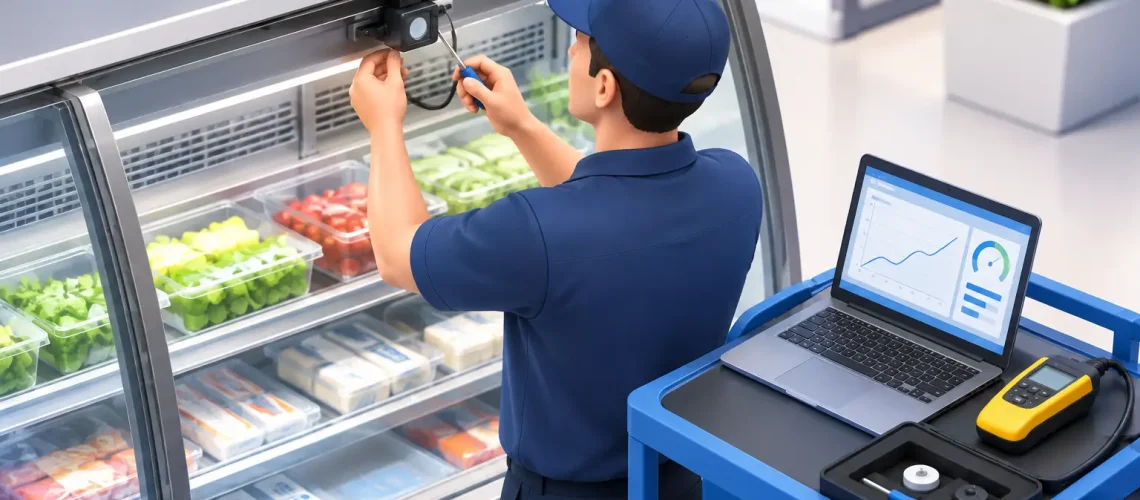

A refrigerated case can look normal while its controls are making decisions from bad temperature data. When you calibrate commercial case sensors correctly, you establish a reliable connection between actual product conditions, controller actions, alarm thresholds, and the records your team relies on. That connection protects inventory, reduces unnecessary service calls, and helps refrigeration equipment operate as intended.
Sensor calibration is not a cosmetic maintenance task. A sensor reading only a few degrees high or low can cause excessive compressor runtime, nuisance alarms, weak product protection, or a false sense of security. For grocery, food service, cold storage, medical, and other temperature-sensitive operations, the business impact can be much larger than the cost of the sensor itself.
Why Commercial Case Sensor Accuracy Matters
Commercial cases use temperature inputs for several different purposes. A discharge-air sensor may regulate a case controller. A return-air sensor may provide an operating reference. A product simulator may support alarms and compliance records. Defrost termination, anti-sweat heat control, and fan strategies can also depend on accurate inputs.
These measurements are related, but they are not interchangeable. Air temperature changes rapidly when doors open, stocking occurs, or defrost ends. Product temperature changes more slowly. A case that appears to have a warm air reading for a few minutes may still be protecting product well. Conversely, a poorly located sensor may report an acceptable temperature while warmer areas in the case create a product-quality risk.
That is why calibration must start with the sensor’s job. The question is not simply, “Does this probe match a thermometer?” The question is whether the sensor is measuring the right condition, at the right location, accurately enough for the control or alarm decision it supports.
Before You Calibrate Commercial Case Sensors
Begin with a stable case. Do not attempt to verify sensor accuracy during a defrost cycle, immediately after loading warm product, during a door-open event, or while the refrigeration system is recovering from a power interruption. Allow the case to operate under representative conditions long enough for readings to settle.
Use a calibrated reference instrument suitable for the measurement. For air sensors, a quality digital thermometer with a recently verified probe is typically appropriate. For product-temperature verification, use a probe placed in a product simulator or suitable product medium, following your facility’s food safety procedures. The reference device should have better accuracy than the case sensor being checked.
Also confirm what the controller display represents. Some displays show an actual sensor input, while others show a calculated value, an averaged value, or a temperature with a programmed offset already applied. If a controller has an existing offset, document it before making changes. Otherwise, a technician can unintentionally compound an earlier adjustment.
Record the case identification, sensor type, sensor location, controller reading, reference reading, time, and operating conditions. A repeatable record turns calibration from a one-time adjustment into useful performance data. It also helps identify patterns, such as a group of cases with drift caused by moisture intrusion, damaged wiring, or aging probes.
A Practical Calibration Process
The process should be deliberate, especially where a sensor drives refrigeration control. First, inspect the sensor and its installation. Look for loose clips, cracked insulation, pinched wires, corrosion at connectors, ice buildup, water exposure, or a probe that has shifted into an unrepresentative airflow path. Correcting placement or physical damage may solve the problem without changing any controller setting.
Next, place the reference probe as close as practical to the installed sensor without touching it. Avoid holding the probe in your hand or positioning it where it receives direct airflow that the installed sensor does not see. Give both instruments enough time to stabilize. A quick comparison often captures transient air conditions rather than a true measurement difference.
Compare readings over several minutes, not at one instant. If the reference and the installed sensor remain consistently different, calculate the offset. For example, if the controller reads 36 degrees Fahrenheit and the verified reference reads 34 degrees Fahrenheit, the sensor is reading 2 degrees high. Whether that difference requires correction depends on the sensor’s purpose, the controller’s specified tolerance, food safety requirements, and the effect on case operation.
When an adjustment is justified, apply the offset only through the approved controller parameter or monitoring platform. Do not use an offset to hide a poorly located sensor, a failing probe, an airflow problem, or a refrigeration issue. An offset compensates for a known measurement difference. It cannot correct the physical condition causing that difference.
After adjustment, allow the case to stabilize again and verify the result against the reference. Then confirm that the control setpoint, alarm limits, and defrost strategy still align with the intended operating temperature. A control sensor corrected by two degrees may change compressor or valve behavior immediately, so validation matters.
Sensor Location Can Matter More Than Offset
A perfectly calibrated sensor in the wrong location can still produce poor decisions. In open multi-deck cases, for example, discharge air, return air, and product temperatures naturally differ. A probe placed near a fan outlet, defrost heater, door frame, evaporator coil, or warm infiltration path may be accurate at that exact point but unrepresentative of the case condition you need to control.
Product simulators deserve special attention. They are valuable for filtering short-term air fluctuations and creating a better proxy for product temperature, but their response time is intentionally slower. They should not be used as a substitute for a properly placed air sensor when the controller needs to react quickly to equipment conditions.
For facilities with repeated alarms or uneven product temperatures, mapping the case is often more valuable than adjusting a single sensor. Compare temperatures across shelves, near doors or openings, and at known problem areas. The result may point to blocked airflow, failed fans, curtain issues, loading practices, defrost performance, or case design limitations rather than sensor inaccuracy.
When Calibration Is Not the Right Fix
Sensor drift is real, but it is not the only cause of bad readings. Replace the sensor rather than recalibrate it when readings are unstable, intermittent, outside the controller’s usable range, or inconsistent after the probe and reference have both stabilized. A probe that changes several degrees without a matching change in conditions is not a dependable control input.
Investigate the broader refrigeration system when a calibrated sensor still shows temperatures outside target range. Low refrigerant charge, restricted airflow, failing evaporator fans, a malfunctioning expansion valve, poor defrost performance, and dirty coils can all create legitimate temperature problems. Changing offsets in these situations can delay the repair and increase product risk.
Alarm management requires the same discipline. Raising alarm thresholds because of recurring notifications may reduce noise, but it can also remove an early warning of a developing failure. The better approach is to determine whether the alarm reflects a sensor issue, a transient operating condition, or a true refrigeration performance problem.
Build Calibration Into a Monitoring Strategy
The right interval depends on the facility, equipment age, sensor type, regulatory requirements, and consequence of failure. A low-risk storage area may need periodic verification, while a high-value medical, biotech, or food operation may require a more frequent, documented program. Any case with a history of sensor failures, water exposure, recurring alarms, or product-loss events deserves closer attention.
Calibration records become more valuable when paired with continuous monitoring. Trending data can reveal gradual sensor drift, repeated post-defrost excursions, unusual compressor runtime, and temperature differences between comparable cases. With a platform such as ArtikControl™, teams can move beyond a single service-day reading and identify whether corrections are holding over time.
This approach also improves accountability across multi-site operations. Instead of relying on handwritten logs and isolated controller checks, facility leaders can compare performance, prioritize service, and document that temperature-sensitive assets are being actively managed.
A calibrated sensor is a small component with a large operational role. Treat every adjustment as a decision that affects product protection, energy use, equipment wear, and alarm confidence. When readings do not make sense, verify the sensor first, but keep looking until the full case and refrigeration system tell the same story.